Roblox Safety and Selection Criteria for Kids Under 10
Before diving into any specific games, establishing a safety framework is non-negotiable for parents. Roblox is a vast, user-generated platform, not a single game, and its official ESRB rating is T for Teen. This "Diverse Content: Discretion Advised" label is a crucial warning: the platform hosts millions of experiences, and while many are wonderful, others are not suitable for young children. Think of it like a streaming service offering both Bluey and Logan—the platform itself provides the tools, but the content varies wildly.
Therefore, our entire list for children under 10 is built upon two pillars: Roblox's internal safety systems and active parental management. Understanding these is the key to transforming Roblox from a potential minefield into a source of creative, social, and educational fun.
The Foundation: Content Maturity Labels and Age Restrictions
Roblox uses its own Content Maturity Labels to categorize experiences: Minimal, Mild, Moderate, and Mature/Unrestricted. For children under 10, our selection criteria strictly adhere to the Minimal and Mild categories.
- Minimal: Experiences with this label are considered the safest bet for the youngest players. They may contain only occasional mild cartoon violence, light unrealistic blood, or brief moments of mild fear. This is the baseline for our recommendations.
- Mild: This category indicates a step up, potentially containing repeated mild violence or more frequent tense scenarios. Roblox's system considers these appropriate for ages "5+," but parental discretion is strongly advised. We only include Mild-rated games on this list after thorough vetting for truly age-appropriate themes and mechanics.
Crucially, Roblox applies automatic restrictions based on the age provided during account creation:
- Users under 9 are automatically barred from accessing Moderate or higher-rated content.
- Users under 13 have chat disabled by default and content filtered to Minimal and Mild experiences.
However, relying solely on these automated filters is insufficient. A 2025 report highlighted that some games rated Mild contained "suggestive behaviours" and "sexually suggestive outfits," demonstrating that the labeling system is not foolproof. This is why our list performs the extra vetting for you, selecting only games that align with their labels in spirit and gameplay.
The Blueprint: Setting Up Your Family Media Plan
Safety on Roblox isn't a one-time settings change; it's an ongoing practice. Here is the essential parental checklist:
- Link Your Account: The most powerful step. Create your own Roblox account and link it to your child's account (for users under 13). This grants you remote access to granular controls via the Parental Controls dashboard.
- Control Communication: For under-13s, disable "Experience Direct Chat" or "Whisper Chat" (private messaging). Restrict "Experience Chat" (public in-game chat) to "Friends" only or disable it entirely. This limits contact to known individuals and prevents strangers from sending private messages.
- Set Content Restrictions: Use the parental dashboard to pin the account to Minimal or Minimal & Mild content only, providing a double-lock beyond the age-based filter.
- Manage Spending: Set a monthly spending limit for Robux (the in-game currency) or disable purchases entirely. Discuss the value of virtual items and warn children about ubiquitous scams promising "free Robux."
- Enable Transparency: For teens (13+), you can request to link accounts for transparency tools, allowing you to view their chat history and activity—a feature that encourages open conversation about accountability.
- Have the Talk: Educate your child to never share personal information, to block and report anyone who makes them uncomfortable, and to come to you immediately if they encounter anything upsetting. Emphasize that they should never move a conversation to a third-party app like Discord, Snapchat, or WhatsApp, as this is a common predator tactic.
- Establish Household Rules: Have a family meeting to set clear expectations for playtime, spending, and acceptable behavior. Reinforce these rules with the device-level parental controls on your console, computer, or phone.
Why This Framework Matters for Our List
Every game recommended in the following sections has been evaluated through this safety lens. We prioritize experiences that are:
- Rated Minimal or Mild with themes that genuinely match those ratings.
- Designed with positive social interaction in mind (cooperation over conflict).
- Not reliant on open, unfiltered chat to function.
- Free from manipulative "skin-box" pressure or aggressive monetization targeting young kids.
- Either single-player or conducive to private server play with known friends.
The alarming statistic—reports of child exploitation linked to Roblox surged nearly 2,000% between 2019 and 2023—is a sobering reminder that platform-level protections are just the first layer. The final and most critical layer is informed, involved parenting.
By using this framework, you can confidently navigate the platform. The games we've selected aren't just popular; they are islands of age-appropriate, enriching play within the vast, unpredictable ocean of Roblox. Our criteria ensure that fun doesn't come at the cost of safety.
Grow a Garden: Best for Patient Problem Solvers
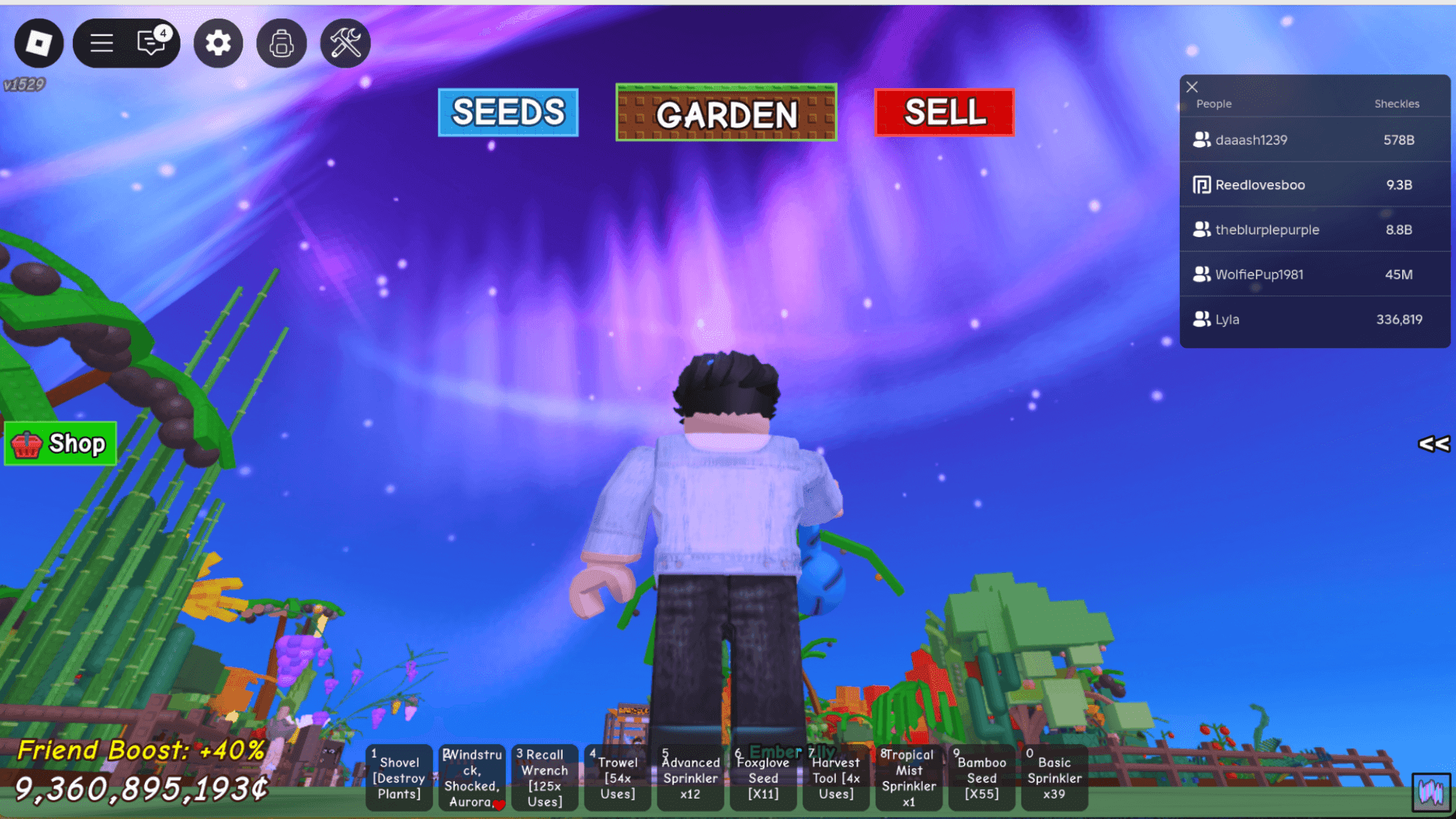
Grow a Garden is a popular farming simulator within the Roblox platform.
Grow a Garden: Best for Patient Problem Solvers
This isn't your typical frantic Roblox experience. Grow a Garden is a deep, strategic farming simulator that rewards patience, planning, and systematic thinking over quick reflexes. It’s here on this list because it perfectly caters to a specific type of young player: the one who enjoys seeing long-term plans come to fruition, who gets satisfaction from optimizing systems, and who doesn't mind a little waiting for a bigger payoff. Think of it as Farmville meets a light economics lesson, all within the chaotic Roblox universe.
The core gameplay loop is deceptively simple but infinitely scalable: Plant → Wait → Harvest → Sell → Upgrade. Players use in-game currency (Sheckles) to buy seeds, tend to them through weather cycles, and sell the produce for profit. The magic—and the complexity—lies in the mutation system. Crops can randomly mutate into rare, high-value variants like "Gold" (20x value) or ultra-rare "Rainbow" (50x value) types. Triggering these mutations involves a layer of strategy, requiring players to invest in the right tools (sprinklers, lightning rods), pets (like the Dragonfly that can force a Gold mutation), and timing with in-game weather events. This transforms the garden from a passive plot into a dynamic puzzle box where players are constantly solving for the highest yield.
Pros:
- Fosters Strategic Planning & Delayed Gratification: Success requires forethought—saving currency for better seeds, investing in automation tools, and patiently nurturing high-value crops over days.
- Teaches Basic Resource Management: Players learn to budget Sheckles, prioritize upgrades, and balance fast, low-yield crops with slow, high-yield investments.
- Rich, Engaging Meta-Game: The pursuit of mutations and the optimization of layouts provide a deep, almost puzzle-like layer that can keep a patient mind engaged for hours.
- Can Be Enjoyed Solo: While social features exist, the core progression is a personal challenge, making it great for kids who prefer to play at their own pace.
Cons:
- Potential for "Monetized Toxicity": A highly controversial feature allows any player to spend 37 Robux to steal another player's unharvested fruit. This introduces real-money stakes into player-versus-player conflict, which can lead to significant frustration and emotional distress, especially for younger players who have invested time (or money) into their crops.
- "Pay-to-Not-Lose" Pressure: While progression is possible without spending, the threat of theft creates a powerful incentive to purchase private server access or other protective items.
- Can Feel Slow or Grindy: The waiting periods for high-tier crops and the random nature of mutations may frustrate players seeking instant feedback.
Specific Use Cases & Personality Fit:
This game is a perfect match for the methodical, patient child—the one who loves organizing collections, following multi-step instructions, or playing management-style games. It's less ideal for the high-energy kid who needs constant action. It's also surprisingly good for parent-child co-play, as you can discuss investment strategies, plan garden layouts, and problem-solve together. However, due to the theft mechanic, it requires careful supervision and discussion about online behavior and spending.
Robux & Monetization Explained:
- Core Gameplay: Entirely accessible with earned Sheckles. You can build a massive, profitable farm without spending a dime.
- Convenience & Speed: Robux can be used to purchase seeds directly, skip quest wait times, or speed up crop maturation. This is a classic "pay-for-convenience" model.
- Gameplay Advantages: Purchasing better tools (like Master Sprinklers) or specific pets (like the Mutation Cat) with Robux can significantly increase mutation chances and profits, edging into "pay-for-advantage" territory.
- The "Toxic" Monetization: The 37-Robux fruit theft feature is the most contentious element. It directly monetizes a negative social interaction, allowing players to pay real money to disrupt and potentially demoralize others. This is a critical point for parents to understand and discuss.
Why It's a Top Pick for Patient Problem Solvers:
Compared to fast-paced social games like Mega Hide and Seek or the creative freedom of Make a Mandala, Grow a Garden stands out for its cerebral, long-form engagement. It teaches economic principles of investment and return, rewards careful observation (tracking weather patterns, shop refreshes), and turns patience into a virtue. The key takeaway for parents: This game can be a fantastic tool for nurturing a strategic mindset, but you must activate a private server (free) to shield your child's hard work from the paid theft mechanic. With that safeguard, it becomes a rewarding simulation of careful planning and growth.
Make a Mandala: Best for Creative and Artistic Minds
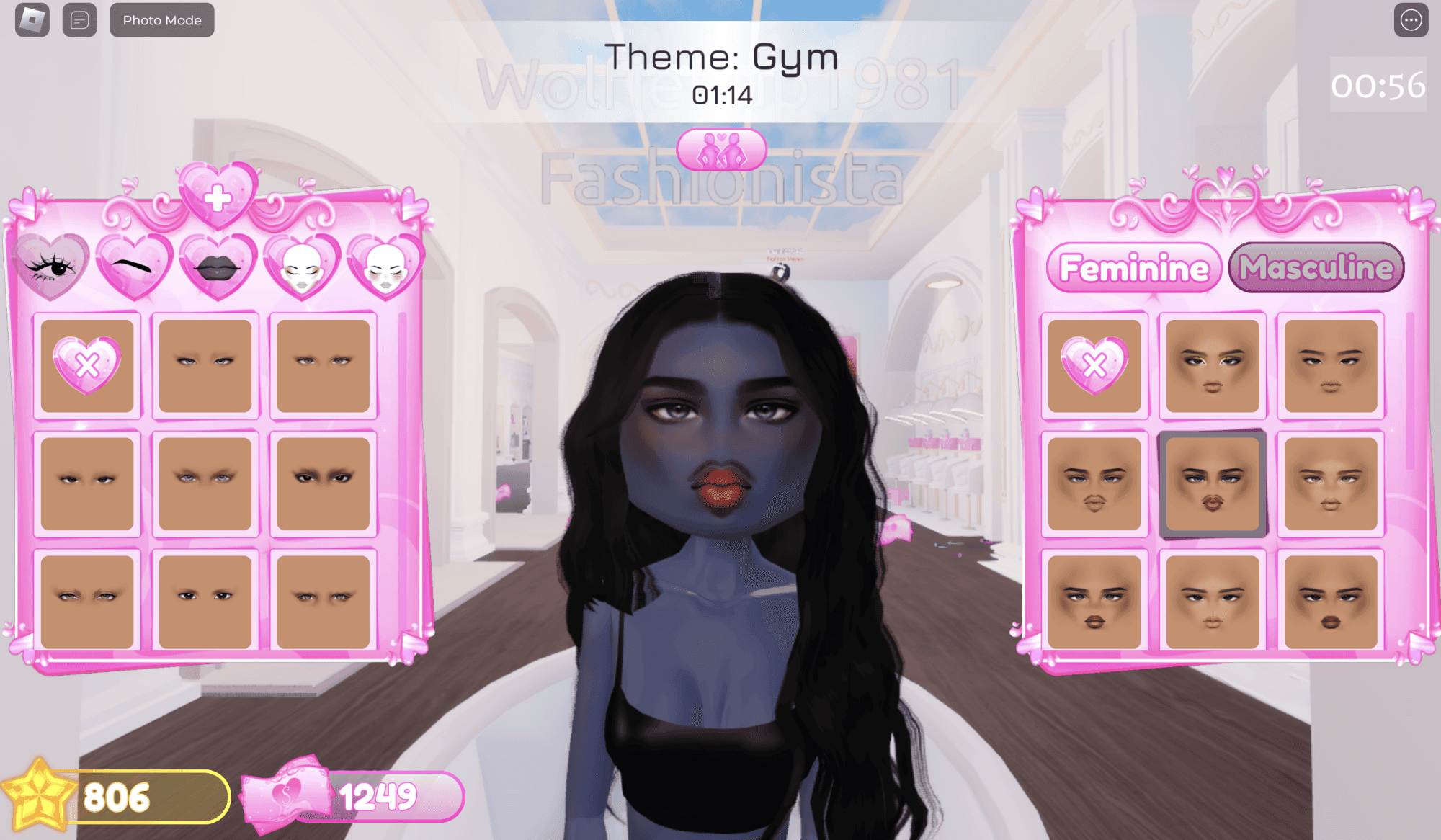
Creative games like Dress to Impress allow for deep artistic customization.
Make a Mandala: Best for Creative and Artistic Minds
In a platform often dominated by frantic minigames and sprawling social roleplay, Make a Mandala stands out as a serene oasis. It earns its spot here not for competition or high-speed action, but for its unique fusion of digital art, nature education, and meditative gameplay. This is the definitive Roblox experience for the child who prefers a sketchbook to a sword, who finds joy in patterns, colors, and the quiet satisfaction of creating something beautiful.
Why it’s here: While many games on this list stimulate problem-solving or social skills, Make a Mandala directly nurtures artistic expression and scientific curiosity. It’s a masterclass in turning screen time into a mindful, educational activity that bridges the digital and natural worlds. Compared to a purely decorative game like Dress to Impress, it offers deeper creative control and a tangible connection to real-world learning.
The Creative Core: Radial Grid Design Mechanics
The gameplay loop is elegantly simple and profoundly engaging. Players explore serene, natural environments to collect items like leaves, flowers, acorns, and stones. These collected items become the palette for the core activity: designing on a radial grid. This isn't freeform drawing; it’s structured creativity. The radial grid teaches principles of symmetry, balance, and pattern-making intuitively. Kids can place, rotate, resize, recolor, and rearrange their natural elements, experimenting with how small changes affect the overall harmony of their mandala. This process develops visual-spatial reasoning and an instinct for design in a way that feels more like play than a lesson. It’s a digital art studio with built-in training wheels, guiding young artists toward understanding composition.
Beyond Art: Integrated Learning with 'Let’s Botanize!'
What elevates Make a Mandala from a simple art tool to an educational gem is its official partnership with 'Let’s Botanize!', an organization of real botanists. As children collect items in-game, they unlock fun, factual tidbits about the plants and natural objects they find. This seamless integration means a child isn't just picking up a "pinecone asset"; they're learning about how pinecones protect seeds or how different leaf shapes help a tree survive. This transforms the collecting phase from a mundane task into a gentle introduction to botany and environmental science, encouraging closer observation and a sense of wonder about the natural world.
The "Adventure IRL" Component: From Screen to Scene
The most innovative feature is the 'Adventure IRL' challenge. The game actively encourages players to step away from the screen, go outside, and collect their own real-world leaves, flowers, or stones. The challenge is then to create a balanced mandala design using only what they find. This brilliant component shatters the barrier between the virtual and the physical. It promotes outdoor exploration, tactile learning, and applies the digital design principles learned in-game to a hands-on, offline activity. In an era of concern over excessive screen time, this game uniquely uses the digital platform to motivate real-world engagement and creativity.
The Verdict: Make a Mandala is a sanctuary of calm and creativity on Roblox. It’s the perfect choice for the artistic, observant, or scientifically curious child. It provides a safe, chat-minimal environment (likely aligning with Roblox's "Minimal" or "Mild" maturity labels) focused on personal creation rather than social pressure. While other games teach patience (Grow a Garden) or competitive fun (Epic Minigames), this one teaches how to see the art and science in the world around them—both on-screen and off. For parents seeking an experience that is as enriching as it is entertaining, this is a top-tier selection.
Mega Hide and Seek: Best for High-Energy Social Play
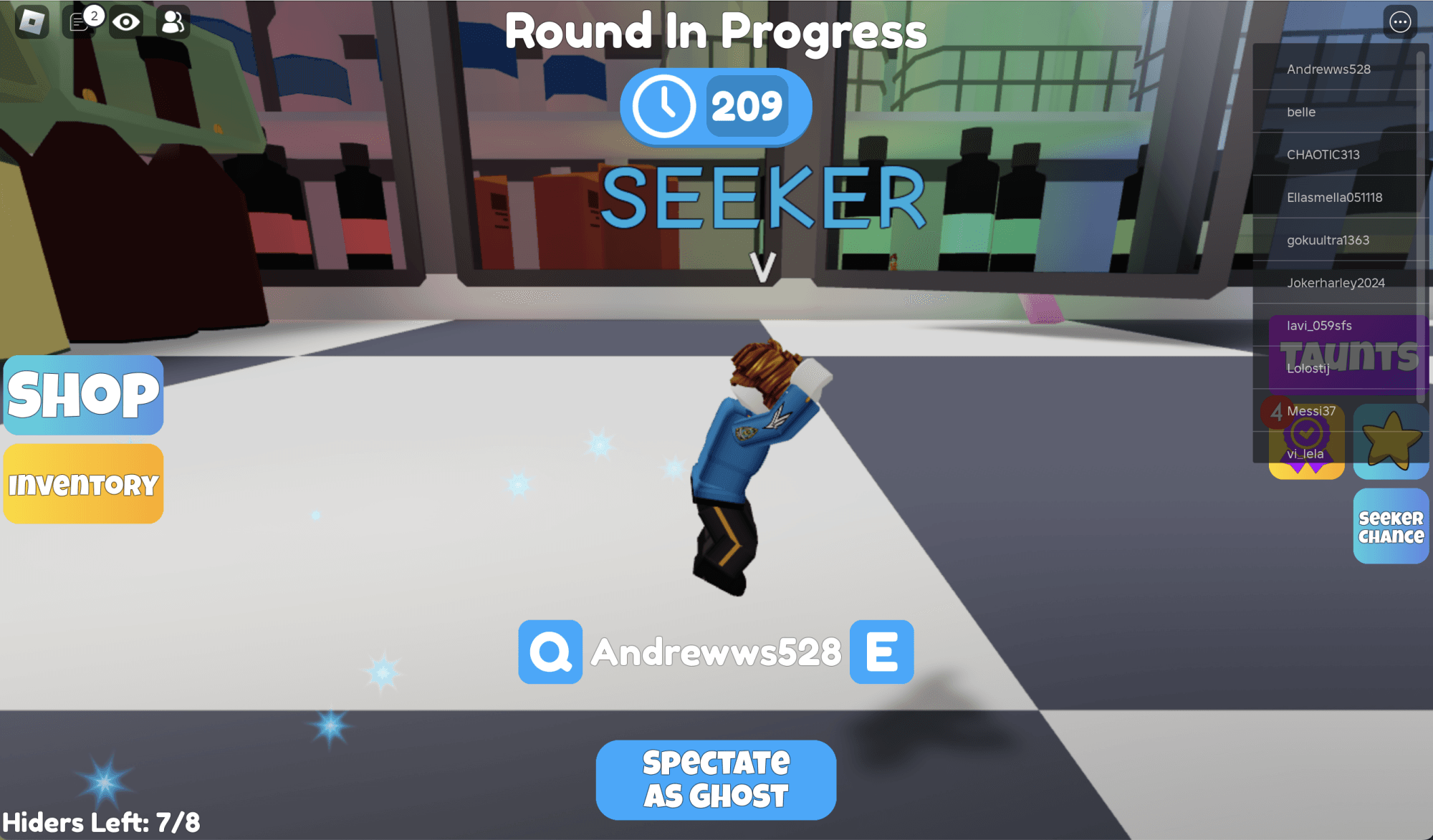
Mega Hide and Seek offers a high-energy digital twist on the classic playground game.
Mega Hide and Seek: Best for High-Energy Social Play
Why it's here: This is the digital, kinetic, and safe evolution of the classic playground game, perfectly designed for kids who need to burn off energy and crave social interaction. Unlike passive or solitary experiences, Mega Hide and Seek is pure, unadulterated play—a frantic, giggle-inducing chase that translates the physical game's core excitement into a virtual, moderated space.
The premise is brilliantly simple and instantly understandable: players are shrunk down to mouse-size and placed in a familiar environment like a cluttered classroom or a cozy bedroom. One or more players are designated as seekers, while the rest scramble to hide. A timer counts down, and then the hunt begins. The core gameplay loop—hide, seek, repeat—is universally appealing and requires zero explanation, making it perfect for a wide age range. The game shines in its variety, offering different modes like a slippery winter variant or a "zombie" mode where tagged players join the seeking team, ensuring the fun doesn't get stale. Crucially, as noted in our primary research, the game allows players to do "basically everything" without spending Robux; the premium currency only grants the ability to choose maps and game modes, not core gameplay advantages. This keeps the competitive field level and the focus on skill and cunning, not on who spent more money.
Safety in Motion: Understanding Chat and Blocking Tools
The high-energy, social nature of this game makes understanding Roblox's communication systems essential for safe play. Roblox offers two primary in-game chat types, and knowing the difference is a key parental safety tip.
- Experience Chat: This is the public, in-game text chat visible to all players in a specific server or "experience." For users under 13, this is allowed by default but is heavily filtered by Roblox's automated systems to prevent sharing of personal information and block inappropriate language. It's the chatter you'd hear on a playground—"I see you!" "Over here!"—and is generally low-risk in a fast-paced game like this.
- Direct Chat (or Whisper Chat): This is a private messaging function between two specific players. Due to its unmoderated and private nature, Roblox blocks this feature by default for all users under 13. A parent must manually enable it through the linked account settings. For a game like Mega Hide and Seek, there is virtually no legitimate gameplay reason a child would need Direct Chat with a stranger. Keeping it disabled is the safest choice, as it closes a door predators often try to use for grooming.
The Critical Safety Tip: Third-Party Platforms
A major red flag in any online game, highlighted repeatedly in our safety sources, is an attempt to move a conversation off the Roblox platform. A player might suggest continuing to talk on Discord, Snapchat, Instagram, or WhatsApp because the chats are "easier" or they can "share cool videos." Parents must instill a firm rule: Roblox conversations stay on Roblox. These external apps offer far less moderation, easier sharing of images and files, and more privacy—exactly what predators seek. There is no gameplay-related reason for a child to connect with a random Mega Hide and Seek opponent on Discord. Any such request should be treated as a major warning sign and an immediate cue to use the blocking and reporting tools.
Empowering Your Child: How to Block and Report
Even in a generally wholesome game, players can encounter someone being mean, cheating, or making them uncomfortable. Empowering your child with the knowledge of how to handle this is crucial. The process is simple and should be practiced:
- Pause the Game: If they feel uncomfortable, they should first walk their avatar away to a safe spot in the game.
- Open the Menu: Click on the player list (usually at the top of the screen) to see all usernames in the server.
- Find the Player: Scroll to find the username of the disruptive player.
- Block: Click on the username and select "Block User." This will prevent them from communicating with your child or joining games they are in, in the future.
- Report: In the same menu, select "Report Abuse." A window will pop up allowing your child to select a category (e.g., "Bullying," "Scamming," "Inappropriate Language") and add a brief description. Roblox's moderation team will review the report.
The Takeaway: Mega Hide and Seek is a top-tier recommendation because it channels raw, playful energy into a structured, familiar format with robust, built-in safety guardrails. By understanding the chat systems, vetoing off-platform moves, and teaching the simple block/report protocol, you can let your child enjoy the frantic, social fun of the digital playground with confidence. It’s the perfect game for turning a rainy afternoon into a living room track meet.
Epic Minigames: Best for Competitive Variety
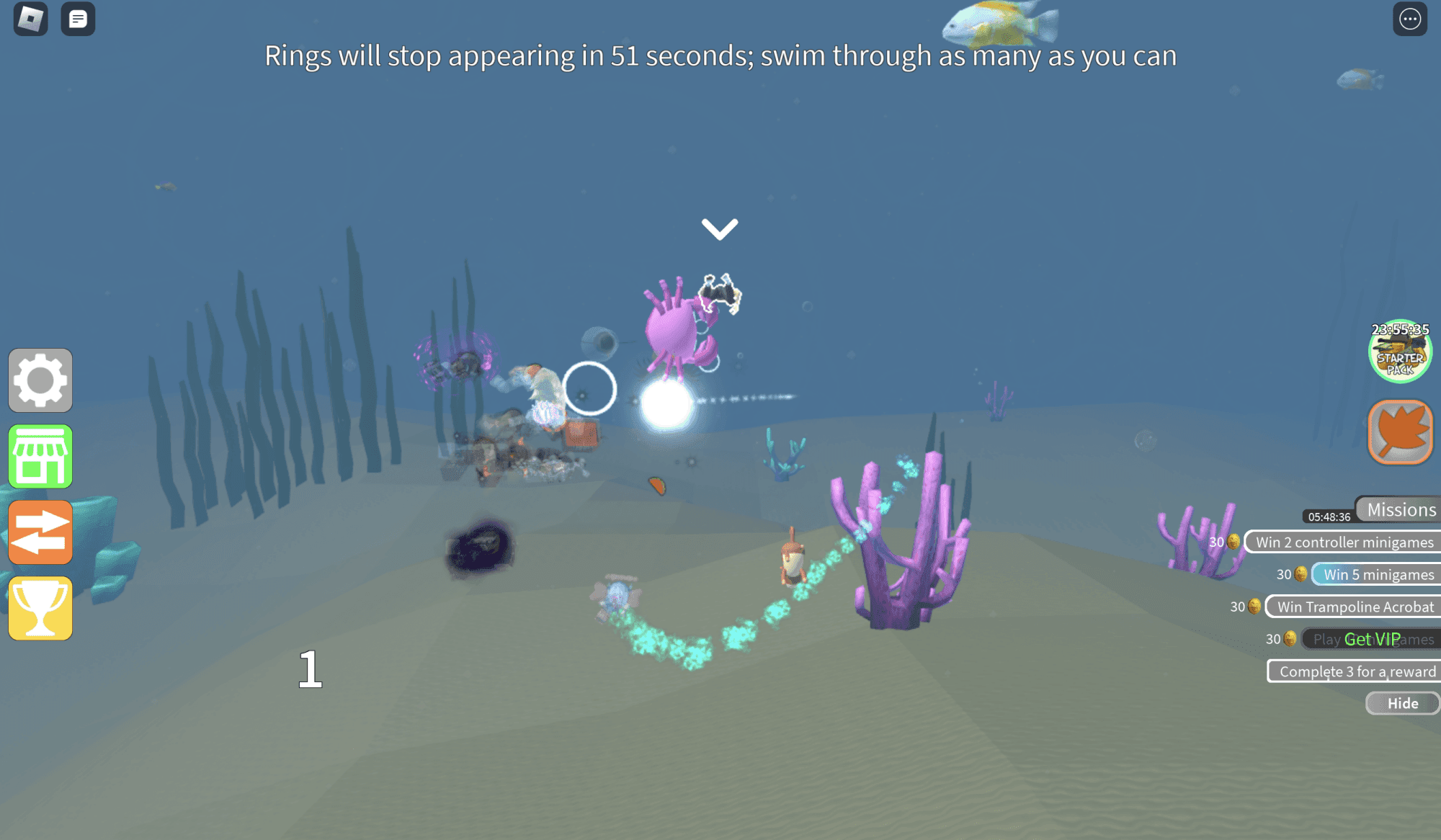
Epic Minigames offers a rotating selection of fast-paced competitive challenges.
Epic Minigames: Best for Competitive Variety
Why it's here: In a platform teeming with complex simulators and sprawling roleplay worlds, Epic Minigames carves out a perfect niche for young, competitive kids by delivering pure, unadulterated fun in bite-sized bursts. Think of it as Roblox’s answer to Mario Party—a rapid-fire collection of over 124 simple challenges where the only goal is to win the current round. For a 7-year-old, this is the ideal competitive playground. It’s high-energy social play without the need for deep strategy, and frantic action that doesn’t demand advanced gaming dexterity.
Analysis of Low-Dexterity Challenges: The genius of Epic Minigames lies in its accessibility. The mini-games are designed to be understood instantly: stand on the correct colored tile, avoid a rolling boulder, be the last one jumping on a crumbling platform. These are challenges of timing and observation, not complex combos or precise aim. This makes it perfectly suitable for a 7-year-old’s developing motor skills and attention span. They can jump in, grasp the objective within seconds, and compete on a level playing field with friends and other players. Unlike a game like Toilet Tower Defense, which requires planning and resource management, or Murder Mystery 2, which needs social deduction, the barriers to entry and enjoyment here are virtually non-existent.
Cosmetic-Only Monetization Safety: When it comes to spending, Epic Minigames adopts one of the safest models for kids. The primary monetization is for cosmetic items only—pets, special death animations, and visual gear. As noted in our primary sources, these purchases are not necessary to play the game itself. This is a crucial distinction from games that sell power-ups, progression skips, or "pay-to-win" advantages. For parents, this means the in-game economy poses minimal risk of pressuring a child to spend in order to keep up or have fun. The competitive integrity of every 2-minute match remains intact regardless of who has the flashiest cosmetic pet. This aligns perfectly with the safety-first approach of setting spending limits via parental controls, as the worst-case scenario is a child spending their allowance on a virtual hat, not a gameplay-altering advantage.
The Benefit of Short Gameplay Bursts: This format is a parent’s secret weapon for screen time management. Each mini-game lasts only a minute or two, creating natural stopping points. You can easily implement a rule like "three rounds and then we're done," which feels fair and complete to a child, unlike pausing a long farming session in Grow a Garden or an open-ended roleplay in Preschool RP. The "just one more game" loop here is satisfyingly short, making it easier to transition away from the screen. This structured, session-based play contrasts with the endless, immersive loops of other experiences, offering a more manageable and less absorbing form of engagement that respects healthy digital habits.
The Verdict: Epic Minigames is the definitive choice for parents seeking a safe, energetic, and manageable competitive experience for young children. It replaces the potential frustration of complex games with immediate, joyous chaos. Its cosmetic-only monetization model minimizes financial pressure, and its short-round design makes it a tool for responsible play, not a time sink. For the child who thrives on quick wins and playful competition with friends, this is the Roblox experience that gets it exactly right.
Roblox Studio and PromptBlox: Best for Aspiring Creators
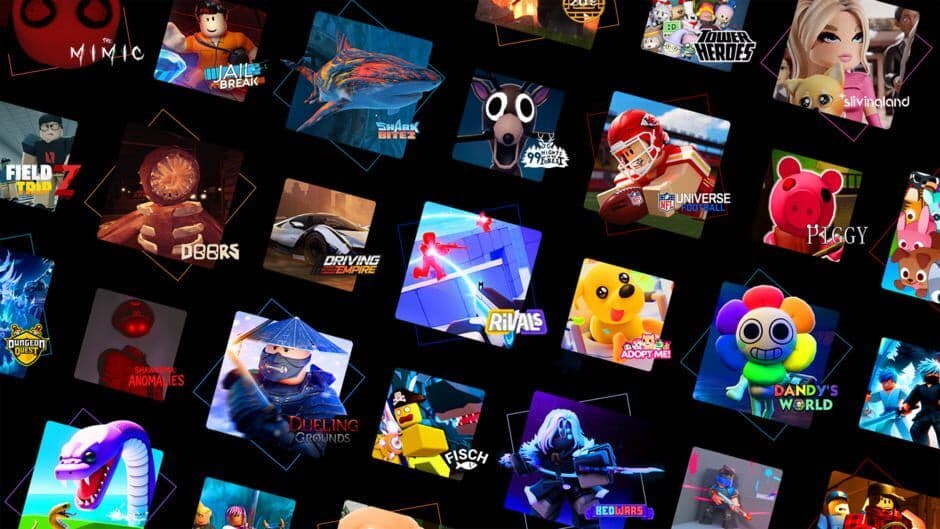
Official artwork representing the creative spirit of the Roblox community.
Roblox Studio and PromptBlox: Best for Aspiring Creators
Why it’s here: While the previous sections highlighted the best experiences for young players, this final entry celebrates the ultimate power of Roblox: turning players into creators. For the child who constantly asks “how do I make my own game?” or who shows a knack for systems and logic, Roblox Studio and AI tools like PromptBlox represent the most empowering and educational frontier of the platform. This is not just another game to play; it’s a gateway to game design, computational thinking, and creative entrepreneurship, perfectly suited for the budding architect, coder, or digital artist in your family.
Roblox Studio: The Foundation for Creative Systems Thinking
Roblox Studio is the free, professional-grade development environment where every game on the platform is built. For a creative child, it’s a digital sandbox of immense potential. While it has a reputation for complexity, its true value for younger users lies in fostering systems thinking—the understanding of how rules, parts, and logic interact to create a whole. A child might start by simply dragging and dropping pre-made trees and buildings from the Toolbox to create a world, learning about scale and environment. The next step is experimenting with basic scripting to make a door open or a light switch on, introducing the foundational logic of “if this, then that.” This hands-on tinkering demystifies the games they play, transitioning them from passive consumers to active analysts of game mechanics. As evidenced by the Lenovo and Hillel IT School project where students aged 9-16 built a full game with “over 15,000 lines of code,” Roblox Studio provides a real, scalable path from playful experimentation to serious technical creation.
PromptBlox: The AI-Powered On-Ramp for Young Designers
The traditional barrier to Roblox creation is the need to learn Lua scripting. This is where AI tools like PromptBlox fundamentally change the game for aspiring creators under 13. PromptBlox acts as a “vibecoding” tool: a child describes a game idea in plain English (e.g., “a 10-stage candy obby with a chocolate river”), and the AI generates a fully playable Roblox game file in under 60 seconds. This dramatically lowers the barrier for game design by removing the initial coding hurdle and providing an instant, gratifying result. The learning shifts from syntax to high-level design thinking. As the Scout research notes, kids using PromptBlox engage in a critical “generate → play → improve” loop. They must critique their creation: Is this obstacle fun or frustrating? Does the difficulty ramp up fairly? This process teaches iteration, creative communication (crafting better prompts), and visual design—all core skills of a game designer. Importantly, while PromptBlox’s terms require users to be 13+, the research confirms that children aged 8–12 can use it successfully with a parent or older sibling managing the account, making it a fantastic collaborative “make a game with my kid” activity.
The Creator’s Journey: From Prompt to Publication
The journey from idea to a live game teaches more than just design; it introduces a complete product development cycle. With a generated game file, a child can open it in Roblox Studio to customize colors, move objects, and add props, gaining comfort with the professional interface in a low-pressure way. The next exciting phase is learning the transition from playing to ‘systems thinking’ and logic by peeking at the AI-generated Lua scripts that power their game. Changing a number to make a platform move faster or a jump higher provides a safe, tangible introduction to code. Finally, they can publish their game. Following a beginner promotion guide, they can share it with friends, then learn about Roblox’s algorithm, which rewards engagement (play session length) and retention (players returning). This holistic experience—design, build, test, publish, promote—mirrors real-world software development and can even lead to earning Robux through game passes, teaching the value of creative work.
The Verdict:
Choose Roblox Studio and tools like PromptBlox for the child who is ready to graduate from playing games to understanding and building them. Roblox Studio is best for hands-on, patient tinkerers ready to learn systems and logic step-by-step. PromptBlox is best for imaginative idea-generators who need a quick win to fuel their passion and learn design fundamentals before diving into code. Together, they offer the most educationally rich path on the Roblox platform, transforming screen time into creation time and players into the architects of tomorrow’s virtual worlds.