
Update 2.0 turned the old armor chase into a trap. In the current vanilla system, clothing is mostly a visual collection, with a few pieces carrying bonuses, while cyberware provides the main armor rating. The useful question is no longer which jacket has the best armor; it is which defensive cyberware fits your build while Wardrobe handles the look.
Spend Cyberware Capacity on the Defense You Need
Open the Cyberware menu when V needs more protection. Update 2.0 made armor primarily a cyberware stat and removed clothing mod slots from the updated system.
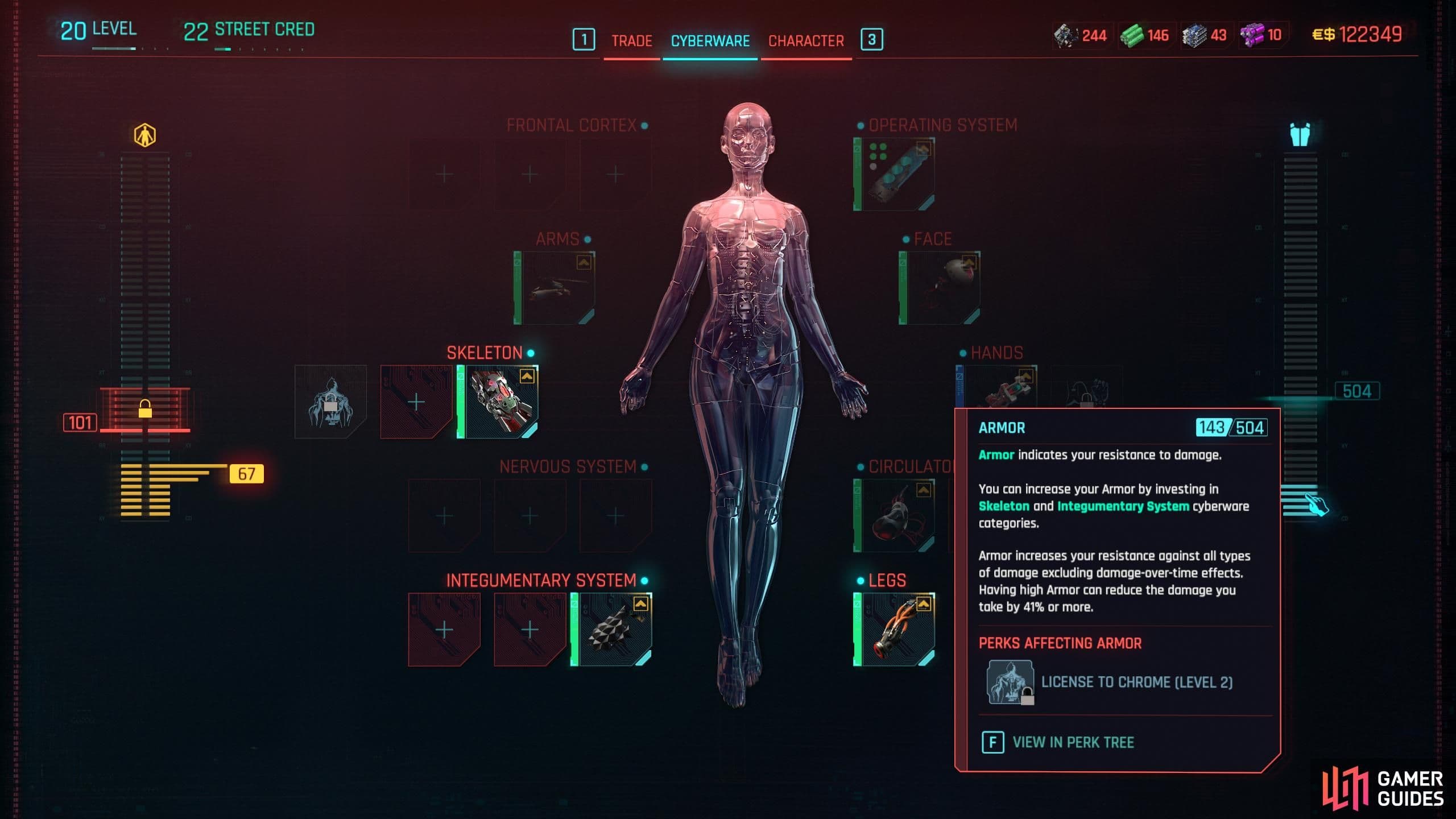
Update 2.0 moves the main armor calculation into cyberware.
| Goal | Check first | What it does |
|---|---|---|
| Raise armor and general defense | Skeleton | Improves armor and overall defense. |
| Add armor and damage reduction | Integumentary System | Focuses on armor and damage reduction. |
| Add mobility with some defense | Legs | Improves mobility and can add a smaller armor bonus. |
These categories are not a universal shopping list. Cyberware Capacity is limited, so compare the armor icon and value on each implant with the ability your build would give up. A netrunner may prefer a different balance from a shotgun-focused Solo, but both should start the defense search in Cyberware rather than clothing.
Use the Armor panel in the Cyberware screen to check the combined result. It is a faster test than comparing jackets by rarity, appearance, or the description on an old guide.
Clothing Bonuses Are Exceptions to the Rule
Clothing still matters, but it is no longer the foundation of a defensive build. Most pieces are there for their appearance. Some still carry bonuses: helmets and chest pieces are the first places to check for +Armor or +Damage Resistance, while eyewear can carry effects such as reduced quickhack upload time.
The item details tell you whether a piece has one of those bonuses. Keep a piece when its explicit stat helps your build; otherwise, treat it as an appearance you can save in Wardrobe. That gives you a clear decision when your inventory fills up: a useful bonus belongs in the loadout, and a great look belongs in the wardrobe collection.
You are not assembling a matching protective set from the clothing slots. You are choosing cyberware for the defensive result, then deciding which clothing appearances you want to keep available.
Let Wardrobe Protect the Look of Your Loadout
Wardrobe is the visual layer that makes the new split practical. Access it from one of V's apartments, select the clothing appearances you have collected, and save them as outfits. The game provides six Wardrobe slots that you can switch from the Inventory screen.
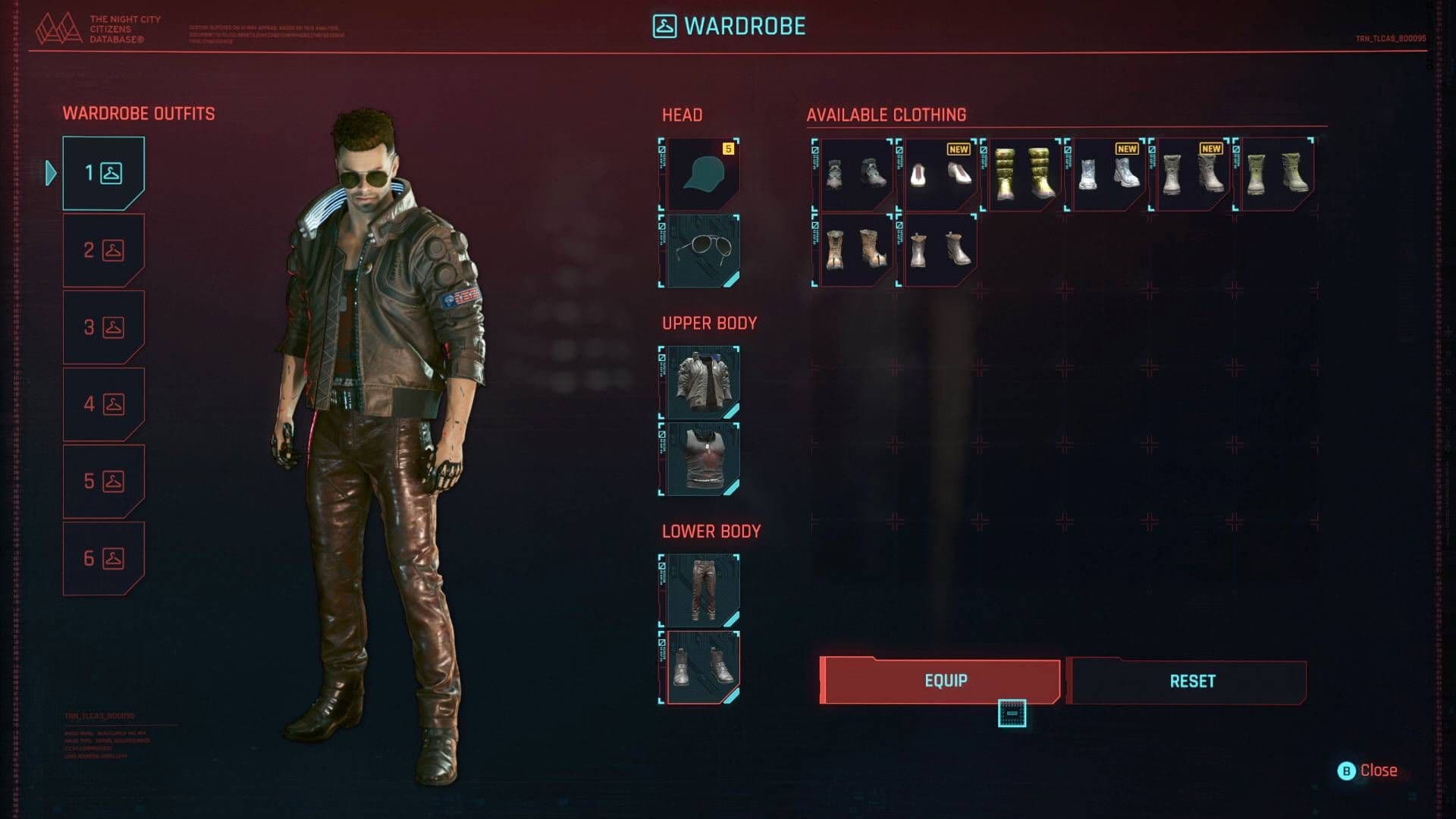
Wardrobe changes the look of equipped clothing without changing its stats.
A Wardrobe outfit changes the likeness of the clothing you have equipped, not its stats. You can therefore keep the clothing pieces that carry the bonuses you want—or simply the gear that fits your build—while V appears in a saved combination from your collection.
Think of the six slots as appearance presets, not six extra equipment sets. Changing the active outfit changes how V looks; replacing an item in the actual loadout is what changes its armor or other item bonuses.
Old Fashion Mod Advice Is Pre-2.0
The old system tied defense to clothing mod slots. If a guide tells you to install Armor Mods into every shirt or jacket, it is describing pre-2.0 Cyberpunk 2077. Update 2.0 removed those clothing slots and moved the main armor calculation to cyberware.
That is also why old advice about Fashion Mods can be misleading. In the current vanilla system, do not search a clothing item for a missing mod slot or build around a mod screen the item does not have. If you are looking for Armor Mods or Fashion Mods, there is no clothing slot to fill in the updated system. Check the piece for an explicit bonus, use Wardrobe for its appearance, and spend your defensive planning in Cyberware.
When your armor is low, open Cyberware. When V needs a different outfit, open Wardrobe.