How to Choose Between Minecraft Java and Bedrock in 2026
So, you’re about to jump into Minecraft in 2026, but you’re staring at a choice that’s older than the game itself: Minecraft Java Edition or Minecraft Bedrock Edition. It’s the classic "Coke vs. Pepsi" debate of the blocky world, and picking the wrong one can lock you out of playing with friends or the deep customization you crave. Let’s cut through the noise and find your perfect version.
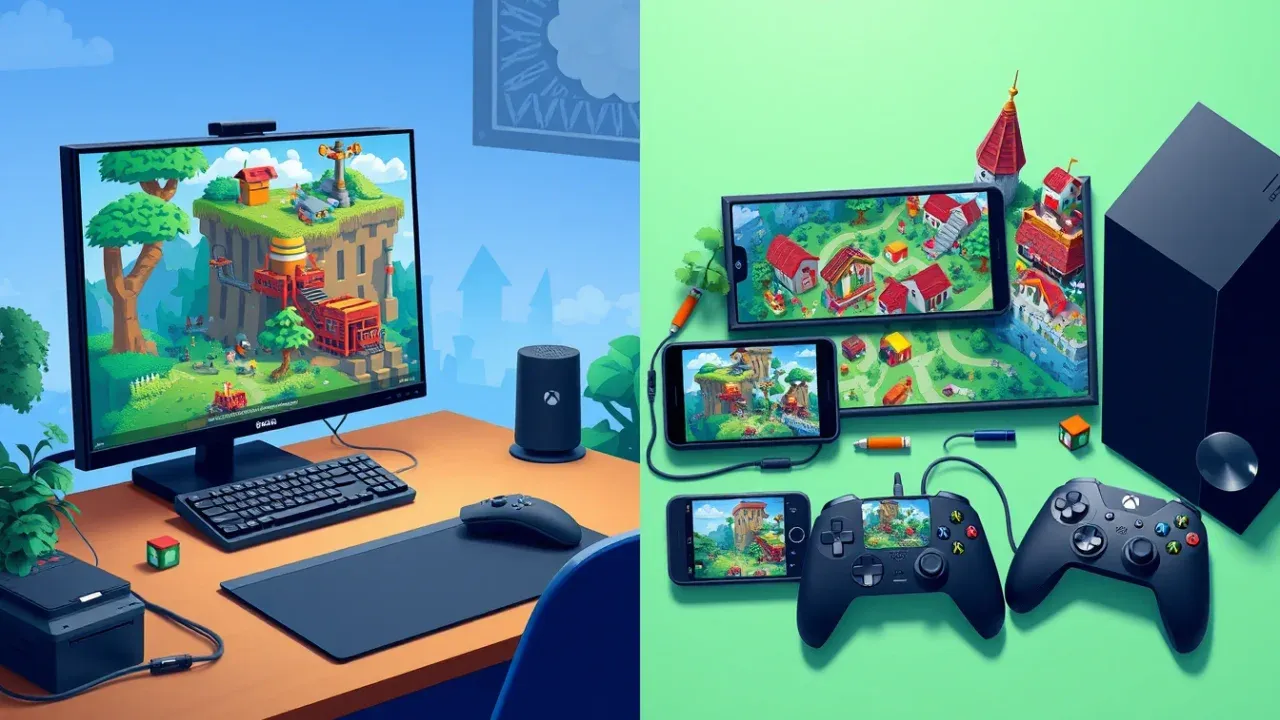
Think of it this way: Minecraft Java Edition is the original PC-exclusive powerhouse, the "Tinkerer's Sandbox" built for Windows, macOS, and Linux. It’s the home of legendary modding communities and technical freedom. On the other side, Minecraft Bedrock Edition is the "Universal Playground," designed from the ground up for seamless play across consoles, mobile, and Windows PC.
Your decision hinges on two simple questions: Who do you want to play with? and How do you want to play?
The Social Circle Test: Who’s on Your Server?
This is the fastest way to decide. Look at your friend group's devices.
- If your crew is spread across Xbox, PlayStation, Nintendo Switch, mobile phones, and PCs, then Minecraft Bedrock Edition is your only option. Its native cross-platform play lets everyone join the same world effortlessly, provided they all have a Microsoft Account for login.
- If you and your friends are all on PCs (Windows, Mac, or Linux), then Minecraft Java Edition opens the door to a richer, more customizable multiplayer experience, though you’ll be playing in a PC-only bubble.
There is no official cross-play between Java and Bedrock. They are fundamentally different games under the hood. If your group is mixed (some on console, some on PC), everyone needs to be on Bedrock to play together.
The Playstyle Check: Builder, Engineer, or Explorer?
Once you know who you’re playing with, consider how you play.
Choose Java Edition if you:
- Live for mods and customization: Java is the undisputed king of modding. With loaders like Forge and Fabric, you have access to hundreds of thousands of free mods that can transform everything from graphics to gameplay, adding magic systems, complex tech trees, or entirely new dimensions. Popular mods like the Create Mod (v0.6+ for 1.21+) let you build astonishing rotational machinery and automated factories.
- Love technical redstone and precision: Java’s redstone mechanics are deterministic and include "quasi-connectivity," a bug-turned-feature that allows for incredibly compact and complex machines. If you dream of building flawless, industrial-scale farms or redstone computers, Java provides the consistent, predictable rules you need.
- Want to run or join massive, custom servers: The most famous community servers (like Hypixel) and innovative game modes are almost exclusively on Java, thanks to its open, plugin-friendly server software.
Choose Bedrock Edition if you:
- Prioritize accessibility and performance: Bedrock’s C++ engine, Render Dragon, is optimized to run smoothly on everything from a smartphone to a last-gen console. It generally offers better out-of-the-box performance, especially on lower-end hardware.
- Prefer a curated, plug-and-play experience: Bedrock features the official Minecraft Marketplace, a one-stop shop for purchasing skins, worlds, and texture packs with Minecoins. It’s safe, easy, and requires no manual file tinkering.
- Enjoy the latest visual flair: Bedrock has exclusive access to official graphical upgrades like Vibrant Visuals, a 2026 graphics engine you can toggle in [Settings] > [Video]. It adds enhanced lighting, realistic shadows, and beautiful atmospheric effects without needing to install anything extra.
The Simple Bottom Line for 2026
For most players, the social test is the ultimate decider. Your friends' platforms dictate your edition.
The good news? If you're on PC, you often don't have to choose permanently. Purchasing Minecraft: Java & Bedrock Edition for PC (typically $29.99) gets you both versions in one bundle via the official launcher. You can enjoy modded solo adventures on Java one night and hop into a cross-platform world with your console friends on Bedrock the next.
So, take a quick poll of your gaming group, think about whether you want endless mods or effortless play, and make your pick. Once you do, the real adventure—mining, crafting, and building—is exactly the same amazing experience in both worlds.
Technical Performance and Hardware Requirements for Minecraft in 2026
Now that you've chosen your edition, let's talk about what's happening under the hood. In Minecraft, the technical divide between Java Edition and Bedrock Edition is more than just a menu difference—it’s about two fundamentally different engines that dictate performance, hardware demands, and what you can expect from your machine.
The Engines: Render Dragon vs. Java Virtual Machine
At the core of this split are the engines. Bedrock Edition runs on the Render Dragon engine, a C++ codebase built for efficiency. This engine is why Bedrock feels so smooth on a Nintendo Switch or a budget laptop—it’s optimized for lower-end hardware and can handle high render distances without breaking a sweat. It’s the secret to consistent performance across a dozen different platforms.
On the other side, Java Edition runs on the Java Virtual Machine (JVM). This Java codebase is the original, and it’s incredibly flexible, which is why modding is so powerful here. But that flexibility comes at a cost: it can be resource-intensive on your RAM and CPU, especially with default settings. The good news? It’s also highly optimizable, which leads us to the modding community's greatest hits.
If you’re playing Java and your frames are struggling, don't blame the game—optimize it. The community has built tools specifically for this.
Optimizing Your Experience
For Java Edition players, performance is in your hands. The single best thing you can do is install optimization mods. Sodium (found on Modrinth or CurseForge) is a must; it requires the [Fabric] loader and can literally triple your FPS by overhauling the rendering engine. Pair it with Lithium (also on Modrinth or CurseForge and requiring [Fabric]), which optimizes game logic and ticks, making everything from mob AI to redstone calculations run smoother. With these, even a modest PC can run Java Edition beautifully.
Bedrock players don’t need to hunt for mods—the Render Dragon engine handles optimization out of the box. Your experience is designed to be plug-and-play, whether you’re on a phone, console, or PC.
Matching Edition to Hardware
Your hardware should guide your expectations. Java Edition truly shines on a High-End PC. This is non-negotiable if you want to dive into heavy modpacks like 'All the Mods' or the brutally difficult 'RLCraft'. These packs demand strong single-core CPU performance and plenty of RAM (think 8GB minimum, 16GB recommended).
Conversely, Bedrock Edition is engineered for Mobile/Console hardware. It’s optimized for iOS, Android, Xbox, PlayStation, Nintendo Switch, and Amazon Fire devices. If your gaming happens on the couch or on the go, Bedrock’s consistent, smooth performance is built for you.
So, while Java offers unparalleled depth for those with the hardware to support it, Bedrock delivers a reliably smooth experience to the widest possible audience. Choose your engine, optimize accordingly, and your world will run exactly as it should.
How to Use Multiplayer and Cross-Play in Minecraft 2026
So you've got your copy of Minecraft, you've built a cozy starter house, and now you want to invite your friends over—whether they're on a laptop, an Xbox, or their phone. This is where Minecraft's multiplayer shines, and understanding the rules for playing together in 2026 is your ticket to a fantastic shared adventure. Let's break down exactly how to connect, and how to navigate the biggest social question in the game: Java or Bedrock?
Play Together on Any Device with Bedrock
If your friend group is spread across different devices—Xbox, PlayStation, Nintendo Switch, mobile, and Windows PC—then Minecraft: Bedrock Edition is your universal connector. Its native cross-play is seamless once you set it up.
First, every player needs a free Microsoft account. Once logged in, head to the Friends Tab in-game and click Add Friend. You’ll enter your friend’s Xbox Gamertag to send a request. Once connected, enabling multiplayer is a breeze. The host opens their world, goes into the pause menu, and selects "Invite to Game" to pull friends in from their friends list.
This is the hassle-free way to play across platforms. For a more persistent, cloud-hosted option, Mojang offers Minecraft Realms Plus. You can create one right from the Play Menu by selecting Create on Realm. For $7.99/month, it supports up to 11 players in a world that’s always online and accessible from any Bedrock device—perfect for a long-term survival world your group can hop into anytime.
Console players (PlayStation, Xbox, Switch) will need an active online subscription (like PlayStation Plus or Xbox Game Pass) to play online, but PC and mobile players do not.
The PC-Focused World of Java
For players who live on PC (Windows, macOS, or Linux), Minecraft: Java Edition offers a different, deeply customizable multiplayer experience. Here, you play exclusively with other Java players. Connecting usually involves joining a server by entering its IP address or, for private games, using local networks.
Java also has its own official server service: Java Realms. You can access it from the Main Menu under Minecraft Realms. It’s a simple, Mojang-hosted server you can invite friends to, but it’s limited to PC players only. It’s a great, low-hassle option if your entire friend group is on computers.
Bridging the Great Divide with GeyserMC
Here’s the core rule: there is no official cross-play between Java and Bedrock. They run on completely different codebases and server protocols, so you can’t just invite a Bedrock friend to your Java world, or vice versa, through normal means.
However, the community has built an incredible bridge. GeyserMC is a plugin (or standalone program) that you install on a Java Edition server. It acts as a real-time translator, converting the network packets so that Bedrock Edition clients can connect and play. Often paired with Floodgate (a Geyser extension), it even allows Bedrock players to join without needing a separate Java account.
⚠️ Watch out: A Geyser setup is a powerful workaround, but it’s not perfect. Some mechanics, especially around Redstone or specific mods, might feel slightly off for Bedrock players. It’s a bridge, not a native merger.
Choose Your Path to Social Play
Your decision ultimately comes down to your friend group:
- Pick Bedrock for effortless, native cross-platform play with anyone on consoles, phones, or PCs. It’s the plug-and-play choice for mixed-device families and casual groups.
- Pick Java for a PC-exclusive community with access to vast, modded servers and deep technical gameplay.
- Use Java + GeyserMC if you desperately want the customization of a Java server but have key friends stuck on Bedrock devices. It requires more technical setup but offers the best of both worlds.
No matter which route you take, you're set to build, explore, and survive together. Now grab your pickaxe and send out those invites—your shared adventure awaits.
Modding vs. Marketplace: Customizing Minecraft in 2026
When it comes to making Minecraft your own, the path splits dramatically based on your edition of choice. This is the ultimate fork in the road for creative freedom—do you dive into the boundless, freewheeling chaos of community creations, or do you prefer a curated, one-stop shop with polished content?
Your customization journey starts by picking your toolkit, and this is where Java Edition and Bedrock Edition feel most distinct.
The Ultimate Toolkit: Java Edition Modding
Think of Java Edition as a master craftsman’s workshop. Its power comes from a mature ecosystem built for deep, game-altering customization. To start, you’ll use a mod loader like Forge, Fabric, or NeoForge—think of these as the foundation that lets you build with community-made code. Once installed, you gain access to platforms like CurseForge and Modrinth, where you can browse a library of over 100,000+ free mods. Want a magic system, a factory simulator, or a complete visual overhaul that makes the game look like a next-gen title? This is where you’ll find it.
A legendary example is OptiFine, a standalone mod or Forge add-on that’s essential for PC players. Besides boosting performance, it unlocks incredible visual features like full shader support for cinematic lighting. It even adds handy gameplay tweaks—like holding [C] to zoom for a closer look at your builds.
Start with lightweight mods on sites like CurseForge or Modrinth; they have robust version compatibility and user reviews to help you avoid crashes. For purely cosmetic changes like skins or adventure maps without microtransactions, Planet Minecraft is a fantastic, free community resource.
The Curated Marketplace: Bedrock Edition Add-Ons
In contrast, Bedrock Edition offers a more streamlined, plug-and-play experience centered on the official Minecraft Marketplace. Simply hit the [Store] button in the main menu. Here, you’ll browse professionally made skins, immersive maps, and texture packs—all purchased using Minecoins, the in-game currency you buy with real money. Parents can manage these purchases through device-level approval settings, making it a safe, easy system for families.
Bedrock’s answer to Java’s mods are Add-Ons. You activate these through [World Settings] → [Behavior Packs]. These official packs let you add custom mobs, blocks, and items, but they operate within a stricter framework. They’re designed to work reliably across all Bedrock platforms and with Realms, but they won’t let you rewrite core game mechanics like Java mods can.
Trust me, this choice defines your entire experience. Java offers unparalleled creative freedom if you’re willing to tinker, while Bedrock provides a polished, accessible storefront that’s perfect for jumping straight into new content with friends across any device. Pick the toolkit that matches your playstyle, and your world will become uniquely yours.
Technical Gameplay: Redstone and Automation Differences
In Minecraft, when you’re just building a door that opens with a button, you’ll never notice the rift. But once you dive into circuits, farms, and intricate machines, the differences between Java Edition and Bedrock Edition don't just matter—they define two completely different games. This is the core of technical gameplay, where predictability is everything, and a single misplaced block can mean the difference between a flawless industrial farm and a broken, sputtering mess.
The Heart of Java: Predictability and Power
For technical players in Minecraft, Java Edition is the undisputed engineering sandbox, and it all starts with one principle: consistency. Its redstone system follows a deterministic update order. This means that in any given setup, the game processes redstone signals in a fixed, predictable sequence every single time. This isn't just a minor detail—it's the bedrock (pun intended) of all advanced technical builds. You can design a complex flying machine or a tick-perfect melon farm, and it will function identically across reloads, restarts, and different worlds. This predictability allows for precise timing and scale, which is why you’ll find all the world records and massive industrial servers running on Java.
Java’s secret weapon is Quasi-Connectivity (QC). This mechanic, originally a bug but now a cherished feature, allows components like Pistons and Dispensers to be powered indirectly, sometimes from blocks diagonal or above them. While it sounds arcane, mastering QC is what enables the most compact, elegant, and mind-bending contraptions. It’s the reason Java players can build hidden doors, complex logic gates, and super-efficient farm triggers that are simply impossible to replicate on the other side.
⚠️ Watch out: If you follow a Java redstone tutorial in Bedrock and your machine fails, QC is often the culprit. It’s a fundamental difference, not a bug on your part.
Even combat in Java Edition leans into precision. Its system revolves around timing your [Left Click] attacks to manage a cooldown bar, and the [Sweeping Edge] enchantment lets your sword hit multiple mobs in an area-of-effect swing. It’s a more measured, tactical system that rewards skill over speed.
Bedrock’s Pragmatic Approach
Bedrock Edition, designed for performance and cross-platform play, takes a different path. Its redstone uses a non-deterministic update system. In practice, this means the order in which redstone components update can vary. For a simple circuit, it’s fine, but in a dense, compact machine, it can cause Pistons to fire inconsistently or circuits to behave randomly after a chunk reload. Mojang implemented this to boost performance across consoles and mobile devices, but it introduces an element of chance that advanced builders work hard to mitigate.
To compensate, Bedrock offers unique advantages. Its Pistons have the handy ability to push Chests, Hoppers, and Furnaces—block entities that Java pistons can't budge. This allows for moving storage systems and compacting machinery in ways Java can't. Combat here also feels distinct, favoring accessibility with a system that has no attack cooldowns, allowing for a rapid, "button-mashing" style that many find more intuitive for casual play.
Why Technical Players Lean Java
The choice becomes clear when you look at long-term projects. Building an iron farm in Java Edition relies on predictable villager mechanics you can optimize for thousands of items per hour, and it’ll run for years. In Bedrock Edition, the same farm might break from a subtle update or behave unpredictably due to its different spawning rules. For anyone investing hundreds of hours into a world filled with complex automation, the stability and control offered by Java’s deterministic systems are non-negotiable.
If you're serious about technical Minecraft, join Java-based communities or servers. The depth of shared knowledge, specialized tools like Carpet Mod for analysis, and over a decade of documentation are invaluable resources you won't find elsewhere.
In the end, Bedrock prioritizes making the game work smoothly for everyone, everywhere. But for the engineers, the farm designers, and the redstone wizards, Minecraft Java Edition provides the consistent, deep, and stable foundation they need to turn their wildest mechanical dreams into reliable, working reality. Choose your tools based on the complexity you crave.
Minecraft Java and Bedrock Rewards and Purchase Guide
Alright, you've navigated the technical deep-dives and gameplay comparisons. Now, let's talk brass tacks: what are you actually buying, and what rewards come with each purchase? This final section breaks down the value proposition for Minecraft in 2026, so you can invest your money and time exactly where you want it.
Navigating the Purchase Options
Your purchase path depends entirely on your platform. For PC players, the choice is refreshingly straightforward. The definitive purchase is the Minecraft: Java & Bedrock Edition for PC bundle, available on the Microsoft Store for a single price of $29.99 USD. This single transaction grants you a license for both the Java and Bedrock versions on Windows, and you can switch between them seamlessly in the official Minecraft Launcher. It’s the best of both worlds, letting you dive into Java’s mods one day and join your friends on console via Bedrock the next.
If you purchased either Java or Bedrock for PC before 2022, you likely received the other edition for free. Check your Microsoft account or Mojang account—you might already own both!
For all other platforms, the rule is Platform-Specific Purchase. You must buy Bedrock Edition separately for each device family. Buying it on your Xbox does not grant you a copy on PlayStation, Nintendo Switch, or mobile. Prices typically range from $20-$30 USD on consoles and around $7 USD on mobile app stores. This is the trade-off for Bedrock’s incredible cross-play convenience; you’re buying access to that unified playground, but only for the specific device you purchase it on.
Edition-Exclusive Features and Rewards
Beyond the technical specs, each edition offers unique gameplay features that feel like rewards for your choice. These aren't just minor tweaks—they define entire playstyles.
If you thrive on high-stakes challenge, Java Edition offers the exclusive Hardcore Mode. When creating a new world, you can select [Difficulty: Hardcore], which locks the world to the hardest difficulty and introduces permanent death: if you die, the world is deleted. It’s the ultimate test of survival skill and a badge of honor for dedicated players.
Bedrock Edition counters with a more social and creative suite of exclusive features. Its Character Creator (accessed via the [Dressing Room]) lets you customize a detailed 3D avatar using a wide array of official cosmetic items, many from the Marketplace. It’s a fun, personal touch that console and mobile players love. For gameplay utility, Bedrock has Potion-Filled Cauldrons. By using a [Use] action with a potion on a cauldron, you can craft batches of Tipped Arrows or dye leather armor, adding a layer of efficiency to your potion brewing that Java players don’t have.
Summary and Final Takeaway
So, what’s the bottom line? Your purchase in Minecraft isn't just for the blocks and the Creepers—it's for an ecosystem.
- For PC Gamers: Buy the Minecraft: Java & Bedrock Edition for PC bundle. At $29.99 USD, it’s complete access. You get Java’s Hardcore Mode and modding paradise plus Bedrock’s cross-play gateway, all in one.
- For Console/Mobile Players: You’re investing in the Bedrock Edition ecosystem on your chosen device. You get the Character Creator, handy features like Potion-Filled Cauldrons, and most importantly, the freedom to play with anyone, anywhere.
Ultimately, the "reward" for your purchase is the experience you value most: limitless creativity and control on Java, or seamless connection and accessibility on Bedrock. Now that you know exactly what you’re getting, you can build your next great adventure with confidence. Let's go.