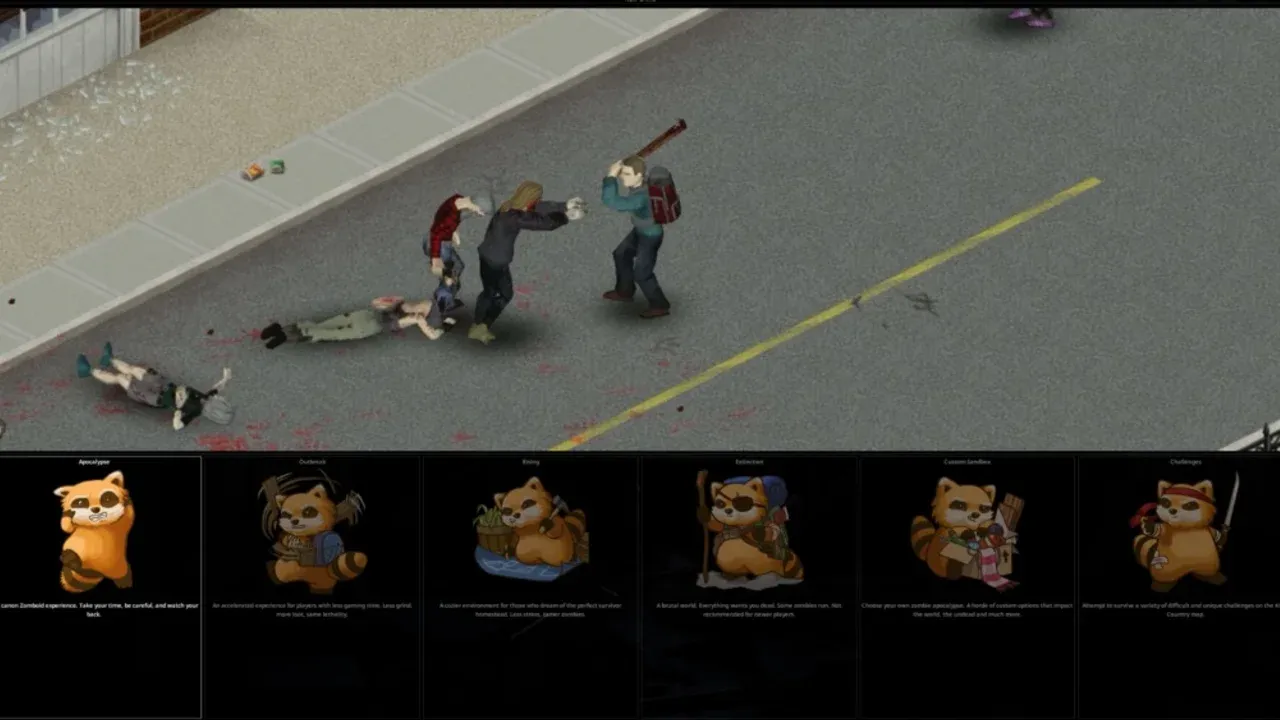
The Custom Sandbox screen looks like two difficulty systems bolted together. On one side, friendly dropdowns: Zombie Count, Zombies Respawn Interval, Erosion Speed. On the other, an Advanced panel full of decimals nobody explains. It is not two systems. The dropdowns are write-only shortcuts that stamp numbers into the advanced fields, and once they have done that, the game never looks at them again. Every difficulty decision you make in Project Zomboid is a decision about thirty-odd numbers, and the dropdown is a bookmark someone left next to a handful of them.
That matters more in Build 42 than it used to, because Build 42 rebased the scale underneath. The Zombie Count dropdown's "Normal" was 1.0 in Build 41 and is 0.65 now — every tier came down between 35% and 57%. A sandbox recipe copied out of a Build 41 guide does not produce a slightly different world. It produces the wrong one.
The Dropdowns Are Writers, Not Settings
Open the sandbox screen's own code and the relationship is a dozen lines with no reads in them. Four controls have side effects; nothing anywhere asks a dropdown what it says.
Picking a Zombie Count writes ZombieConfig.PopulationMultiplier from a six-entry table. Picking a Zombies Respawn Interval writes three fields at once — RespawnHours, RespawnUnseenHours and RespawnMultiplier — from three parallel tables. Ticking Zombie Migration sets RedistributeHours to 12.0; unticking it sets 0.0. And confirming the screen at all re-rolls WaterShutModifier and ElecShutModifier, which is the nastiest of the four and gets its own section below.
The respawn table is worth having in front of you, because in a .lua file you see the integer, never the label:
ZombieRespawn value |
RespawnHours | RespawnUnseenHours | RespawnMultiplier |
|---|---|---|---|
| 1 | 16.0 | 6.0 | 0.5 |
| 2 (engine default) | 72.0 | 16.0 | 0.1 |
| 3 | 216.0 | 48.0 | 0.05 |
| 4 | 0.0 | 0.0 | 0.0 |
Three consequences follow, and all three bite.
Order matters. Set the dropdown, then hand-edit the advanced fields. Doing it the other way round destroys your work the moment you touch the combo box.
In a file, the dropdown is decoration. If you are editing servertest_SandboxVars.lua directly, the engine reads ZombieConfig.RespawnHours; the ZombieRespawn key sitting near the top of the same file does nothing on load. One shipped preset already disagrees with itself on exactly this point — Rising declares ZombieRespawn = 3, whose table row is 216 hours, while its own RespawnHours is 72.0. The world runs at 72.
Reopening the settings screen is destructive. An admin who hand-tunes the Lua file and later opens Host → Manage Settings to change something unrelated can wipe that tuning by brushing one control on the way past.
"Normal" Is Not 1.0 Any More
The six-entry table behind Zombie Count is the clearest case of the floor moving:

| Zombie Count | Build 42 | Build 41 |
|---|---|---|
| Insane | 2.5 | 4.0 |
| Very High | 1.6 | 3.0 |
| High | 1.2 | 2.0 |
| Normal | 0.65 | 1.0 |
| Low | 0.15 | 0.35 |
| None | 0.0 | 0.0 |
Build 42's High is a fifth above what Build 41 called Normal. Build 42's Low is under half of the old Low. So if you type 1.0 into PopulationMultiplier today because that is the number a Build 41 guide called neutral, you have set the world 54% denser than the Apocalypse preset — and you will read the result as the game being harder than it used to be, rather than as your own arithmetic.
The multiplier is a ceiling, not a constant. PopulationStartMultiplier scales it on day one, PopulationPeakMultiplier scales it on the peak day, and PopulationPeakDay says when that is. Apocalypse runs 0.65 base, ×1.0 at the start, ×1.5 by day 28 — which is why the second month reads as a different game from the first. All three multipliers take 0.0 to 4.0; the peak day takes 1 to 365.
Two further settings decide where those zombies stand rather than how many exist. Distribution picks Urban Focused or Uniform, and ZombieVoronoiNoise — new in Build 42, on by default — clumps them instead of spreading them evenly. Neither changes your total, and both change whether the road between two towns is empty or lethal. Uniform in particular will quietly undo a low-population run by moving the shortfall out of the cities and into the fields you were planning to farm.
Respawn and Migration Are Two Different Clocks
The Apocalypse preset makes an unusual choice here that gets inherited by everything derived from it. RespawnHours, RespawnUnseenHours and RespawnMultiplier are all 0.0 — respawn is completely off — while RedistributeHours sits at 12.0, so migration is on.

A cleared town therefore never receives new zombies. It does get refilled by the ones already in the same cell, every twelve hours, sliding into the space you just made. The setting that stops it is RedistributeHours, and the value is 0.0. Reaching for the respawn controls instead cannot work, because on Apocalypse they are already at zero.
Within respawn itself, two different units are in play. The cycle is evaluated per cell, while RespawnUnseenHours is a separate gate applied per chunk: the smaller area has to go unobserved before anything appears in it. RespawnMultiplier is the fraction of a cell's target population allowed back per cycle, and it is the most consequential single number on the screen for a long run. At the default pairing of 72 hours and 0.1, a cell you emptied completely climbs back to target in ten cycles — thirty in-game days. Leave the interval alone and raise the multiplier to 0.5 and it is six days. Neither value changes anything at all about your first week, which is exactly why it gets set carelessly and then decides month three.
One neighbouring number deserves the same attention. FollowSoundDistance (10–1000, default 100) is how far a zombie walks toward the last thing it heard, and Extinction doubles it to 200. Raise it and every gunshot recruits from twice the radius; combine that with respawn switched on and noise stops being a one-off cost, because the crowd you pulled in gets topped up on a timer.
Loot Stopped Being a Rarity Word
Build 41 gave each loot category a seven-step dropdown from Insanely Rare to Abundant. Build 42 replaced it with nineteen float multipliers — FoodLootNew, MedicalLootNew, ToolLootNew, MaterialLootNew, FarmingLootNew and the rest — each taking 0.0 to 4.0 and defaulting to 0.6.
The old rarity words survive as six factors you can edit directly:
| Rarity | Key | Value |
|---|---|---|
| Insanely Rare | InsaneLootFactor |
0.05 |
| Extremely Rare | ExtremeLootFactor |
0.2 |
| Rare | RareLootFactor |
0.6 |
| Normal | NormalLootFactor |
1.0 |
| Common | CommonLootFactor |
2.0 |
| Abundant | AbundantLootFactor |
3.0 |
Apocalypse's 0.6 across most categories is the Rare factor, spelled as a number. Its departures are the interesting part: RangedWeaponLootNew is 1.2, double everything else; FoodLootNew and OtherLootNew sit at 0.8; KeyLootNew drops to 0.4.
Turning those multipliers up is where expectations break, because Build 42 added a second layer underneath that runs on a clock. MaximumLooted is the percentage chance a container was already emptied by someone else, ramping linearly from day zero to DaysUntilMaximumLooted. Apocalypse sets 25 and 90, so by day ninety a quarter of containers are stripped no matter how generous your multipliers are. The engine default is 50; Extinction uses 50 over 60 days.
Three modifiers feed the same figure. RuralLooted (Apocalypse 0.5) scales the chance on squares outside a defined region — the countryside. Squares whose zombie-density type is Rich take a flat 1.5× on top, so the affluent suburbs are picked over first. And TimeSinceApo, the Months Since The Apocalypse dropdown, adds thirty days per month straight into the clock: a six-month start is 180 days, past Apocalypse's 90-day ceiling, so the world arrives at its looted maximum on your first morning.
A separate pair thins what remains inside the containers nobody touched — MaximumDiminishedLoot with DaysUntilMaximumDiminishedLoot, applied as a 1 − percentage multiplier on quantity. Apocalypse sets 20 over 3,650 days, slow enough to be nearly theoretical. Extinction sets it to 0, switching it off, and leans entirely on the pre-looted chance instead.
The practical upshot: raising FoodLootNew alone is arm-wrestling a ramp. Lower MaximumLooted in the same pass, and remember that on Apocalypse nothing ever refills — HoursForLootRespawn is 0, with MaxItemsForLootRespawn at 5 and ConstructionPreventsLootRespawn on.
Every World Timer Has a Second Field That Overrules It
Water and electricity look symmetrical on the screen and are not symmetrical in the code. Both dropdowns roll a day inside a window, but the electricity roll carries a hard floor the water roll does not.

| Option | Water cuts out on day | Electricity cuts out on day |
|---|---|---|
| Instant | already off | already off |
| 0–30 days | 0–30 | 14–30 |
| 0–2 months | 0–60 | 14–60 |
| 0–6 months | 0–180 | 14–180 |
| 0–1 year | 0–360 | 14–360 |
| 0–5 years | 0–1800 | 14–1800 |
| 2–6 months | 60–180 | 60–180 |
| 6–12 months | 180–360 | 180–360 |
Apocalypse sets both to the 0–30 day option, so your taps can fail on day one and your fridge cannot fail before day fourteen. Plan the opening fortnight around water containers, not around a generator.
The rolled result lands in WaterShutModifier and ElecShutModifier, and it is that stored integer the engine reads: power exists while the world's age in days is less than or equal to ElecShutModifier, so a value of 14 means the grid survives through day 14 and dies on day 15. This is also the field the sandbox screen is most aggressive about. Choosing a preset only re-rolls the modifier if it is still sitting at its default of 14, which is how Six Months Later keeps its hand-set -1. Confirming the Custom Sandbox screen re-rolls both unconditionally — no check, no exception. A shutoff day you typed into the Advanced panel does not survive the button that saves it. Typed into a _SandboxVars.lua file and loaded by a server that never opens that screen, it holds.
Erosion follows the same shape with a cleaner override. ErosionSpeed runs 1 to 5 for 20, 50, 100, 200 and 500 days to full growth. The engine default is 3 — Normal, 100 days — but Apocalypse ships 4, so the canonical world overgrows at half that rate. ErosionDays overrules it outright: -1 disables erosion permanently, 0 defers to ErosionSpeed, and any other value is a literal day count up to 36,500.
Three Presets, Written the Way the Engine Reads Them
Set the dropdowns first, then these keys. These are fragments, so anything they do not name keeps whatever value was already there — which is why Homestead spells out PopulationPeakMultiplier = 1.0 rather than leaving the curve alone. Omit it and you inherit the engine's 1.5, and the flat population the preset is built on quietly grows by half. Multiplayer hosts can paste them into <servername>_SandboxVars.lua with the server stopped; solo players enter the equivalents in the Advanced panel — with one exception. WaterShutModifier and ElecShutModifier cannot be set from that panel, because confirming it re-rolls them. If you want a fixed utility date in single-player, edit the save's sandbox file after world creation instead.
Slow Burn. A long solo run where the world gets worse rather than merely busier. Day one is half of Apocalypse's density and the peak is well past it, arriving four months in when you have a base worth defending. That is a five-fold swing between start and peak, and none of it touches the base multiplier — the tier stays on Normal, so anyone reading your settings sees a normal game.
Zombies = 4,
ErosionSpeed = 3,
MaximumLooted = 25,
DaysUntilMaximumLooted = 90,
ZombieConfig = {
    PopulationMultiplier = 0.65,
    PopulationStartMultiplier = 0.5,
    PopulationPeakMultiplier = 2.5,
    PopulationPeakDay = 120,
    RespawnHours = 0.0,
    RespawnUnseenHours = 0.0,
    RespawnMultiplier = 0.0,
    RedistributeHours = 12.0,
},
No Safe Towns. For groups who clear buildings faster than one player can. Respawn runs at the default cadence, so an emptied cell is back to target in about thirty in-game days, and the pre-looted ramp tops out in sixty instead of ninety. The FollowSoundDistance line is the one that changes how you play rather than how the world looks: at 200, a firearm recruits from twice the usual radius, and with respawn on, the crowd it pulls is replaced rather than spent.
Zombies = 3,
MaximumLooted = 50,
DaysUntilMaximumLooted = 60,
ZombieConfig = {
    PopulationMultiplier = 1.2,
    PopulationStartMultiplier = 1.0,
    PopulationPeakMultiplier = 1.5,
    PopulationPeakDay = 28,
    RespawnHours = 72.0,
    RespawnUnseenHours = 16.0,
    RespawnMultiplier = 0.1,
    RedistributeHours = 12.0,
    FollowSoundDistance = 200,
},
Homestead. For building, farming and blacksmithing rather than combat. RedistributeHours = 0.0 is doing the heavy lifting: without it a cleared perimeter refills from inside its own cell twice a day and the whole preset feels broken. Distribution = 1 matters almost as much — switching to Uniform would take the population you just cut and spread it evenly across the countryside you intend to live in. ErosionSpeed = 2 is the one aesthetic choice here, and it earns its place: at fifty days the roads close in fast enough that a farm you never leave still visibly changes around you.
Zombies = 5,
Distribution = 1,
MaterialLootNew = 2.0,
ToolLootNew = 2.0,
FarmingLootNew = 2.0,
MaximumLooted = 0,
ErosionSpeed = 2,
ZombieConfig = {
    PopulationMultiplier = 0.15,
    PopulationStartMultiplier = 1.0,
    PopulationPeakMultiplier = 1.0,
    RespawnHours = 0.0,
    RespawnUnseenHours = 0.0,
    RespawnMultiplier = 0.0,
    RedistributeHours = 0.0,
},
One rule covers all three: build them on top of a Build 42 file, never a Build 41 one. Build 42's presets carry Version = 6, and that number is not decoration — the loader upgrades option names and values against it. The single legacy preset still shipping in the game folder proves the point: Six Months Later is stamped VERSION = 5, and its entire loot block sits commented out, because the keys it used no longer exist.